
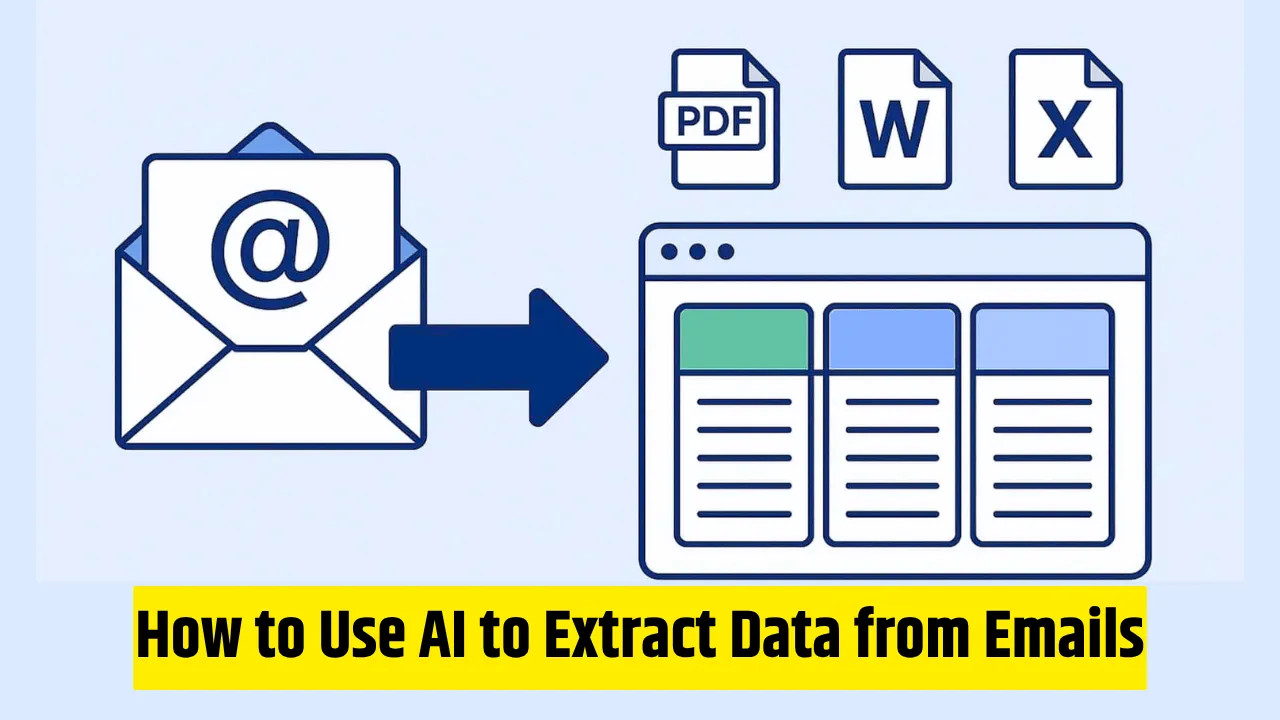
You open your inbox on a Monday morning and there it is again, another dozen supplier emails with invoices, purchase orders, or shipment confirmations attached. Manually copying order numbers, amounts, dates, and line items into your ERP system eats up hours every week. Worse, one wrong entry can throw off your inventory, accounting, or vendor payments.
In 2026, you no longer have to do this by hand. AI can read those emails, pull out the exact data you need, and push it straight into your ERP like clean, structured, and ready to use. If you’ve been wondering how to use AI to extract data from emails into your ERP without hiring developers or buying expensive enterprise software, this guide walks you through it practically and step by step.
I have set up these workflows for small teams and growing businesses, and the time savings are real. No hype, just what actually works when emails are messy and your ERP is unforgiving.
What AI Email-to-ERP Extraction Actually Does
Emails are unstructured. Your ERP wants clean fields: invoice number, vendor name, total amount, due date, line items, tax codes. AI bridges that gap using a combination of natural language processing, optical character recognition (for PDFs and images), and large language models that understand context.
Instead of rigid rules that break when a supplier changes their format, modern AI adapts. It classifies the email (invoice vs. PO vs. confirmation), extracts the right fields even if the layout varies, validates the data against your rules, and sends it to your ERP via API or connector.
In 2026 this matters more than ever. Email remains the default way suppliers and customers send documents. At the same time, no-code automation platforms have matured, ERP APIs are more open, and AI accuracy has jumped. Teams that automate this flow cut data entry time by 70-90% and slash errors that used to cause payment delays or stock mismatches.
How to Use AI to Extract Data from Emails into Your ERP (Step-by-Step Guide)
You don’t need to be a programmer. Most setups take a few hours to build and test. Here’s the exact process I follow every time.
Step 1: Pick the Right Starting Point
Decide whether you want a specialized email parser or a general automation platform.
- Specialized tools (like Parseur or Airparser) shine when you mostly handle invoices or POs.
- General platforms (Zapier, Make.com, n8n, or MindStudio) give you more flexibility if you also want to update inventory, trigger approvals, or notify team members.
Start simple. Pick one email type say, vendor invoices and one ERP (NetSuite, SAP, Dynamics 365, Odoo, or even QuickBooks).
Step 2: Connect Your Inbox
Create a dedicated shared inbox or use email forwarding rules.
For Gmail or Outlook, set up a trigger that fires when a new message arrives in a specific label or folder. Many tools let you forward emails to a unique parsing address so nothing touches your main inbox.
Step 3: Tell the AI What to Extract
This is where the magic happens. You give the AI a clear “extraction prompt.”
Example:
“From this email and any attachments, extract: invoice number, issue date, due date, vendor name, total amount, tax amount, currency, and a table of line items (description, quantity, unit price, total). Output as clean JSON.”
The AI reads the email body, parses attachments (PDFs, images, even scanned invoices), and returns structured data. Test the prompt with 10-15 real past emails first so you can refine it.
Step 4: Add Validation and Human Checks
Never trust 100% automation on day one.
Set confidence thresholds—if the AI is less than 85% sure about a total amount, route it for manual review. Add simple rules: “Does the PO number exist in our system?” or “Does the total match the sum of line items?”
This keeps your ERP data clean and builds trust with your finance team.
Step 5: Push Data into Your ERP
- Most automation platforms have pre-built connectors or let you call APIs directly.
- Map the extracted fields to the right ERP modules (purchase invoices, vendor bills, inventory receipts).
- Test with a single record in a sandbox environment before going live.
Step 6: Monitor, Iterate, and Scale
Set up notifications for exceptions. Review logs weekly for the first month. As the AI sees more examples, its accuracy improves. Once invoices work smoothly, expand to purchase orders, credit notes, or shipment updates.
Common Mistakes (and How to Avoid Them)
I have seen these trip up even smart teams.
Mistake 1: Trying to automate everything on day one.
Start with one email type and one process. Perfect that before adding more. Over-scoping leads to complex flows that break easily.
Mistake 2: Skipping validation.
AI is good, but not perfect. Without confidence scores and rule-based checks, bad data sneaks into your ERP. Always add a human-in-the-loop step for low-confidence items.
Mistake 3: Ignoring attachments.
Most valuable data lives in PDFs attached to the email. Make sure your tool handles both email body and attachments, and uses OCR when needed.
Mistake 4: Poor prompt design.
Vague instructions produce messy output. Be specific about the fields, format, and edge cases (multiple currencies, tax breakdowns, partial shipments).
Mistake 5: Forgetting security and compliance.
Emails often contain sensitive data. Choose tools that don’t store your emails long-term, support encryption, and let you control data retention.
Real-World Example: Automating Vendor Invoices
Last year I worked with a small manufacturing company that received 80-100 supplier invoices every week. Their accountant spent two full days copying data into their Odoo ERP.
We set up a workflow in a no-code platform:
- Emails forwarded to a parsing address.
- AI extracted key fields from the body and PDF.
- Data was validated against their vendor master list.
- Approved records created purchase invoices in Odoo automatically.
- Low-confidence ones went to a Slack channel for quick review.
Within two weeks they reduced manual entry by over 85%. The accountant now spends that time on analysis instead of typing. More importantly, payments are on time and reconciliation errors dropped to nearly zero.
I’ve seen the same pattern in e-commerce (order confirmations to inventory) and professional services (client invoices to billing modules). The pattern is always the same: start narrow, validate rigorously, and let the AI handle the repetitive part.
FAQs – How to Use AI to Extract Data from Emails into Your ERP
Q1. How accurate is the AI in real life?
With good prompts and validation, 90-95% straight-through processing is realistic for standard invoices and POs. Edge cases (handwritten notes, unusual layouts) still need review.
Q2. Do I need coding skills?
No. Most platforms are visual or prompt-based. If you can write a clear email, you can build the extraction logic.
Q3. What about cost?
Many tools offer generous free tiers for low volume. Paid plans usually start around $20-50/month and scale with usage. The ROI comes fast from time saved.
Q4. Can it handle multiple languages or currencies?
Yes, modern AI models handle multilingual emails and currency conversion rules out of the box. Just specify your requirements in the prompt.
Q5. What if my ERP doesn’t have a simple API?
Most automation platforms offer CSV export, Google Sheets as a middle step, or direct database connectors as workarounds.
Ready to Stop Copying and Pasting?
Automating email data extraction into your ERP isn’t about replacing people, it’s about removing the boring, error-prone work so your team can focus on what actually moves the business forward.
Pick one painful email process this week. Set up a simple flow. Test it with real data. You will be surprised how quickly it starts paying for itself in saved hours and cleaner records.
The tools are ready. The technology works. The only question left is how much time you want to keep spending on manual data entry. Start small, stay disciplined with validation, and you’ll wonder how you ever lived without it.
READ MORE:

I am Kunal Kumar, a software engineer and the founder of AI Squaree. With over 5 years of blogging experience and hands-on testing of AI tools, I share practical, experience-based insights to help readers make smarter decisions in the fast-evolving AI space.